
Explore our top 5 list to find out which Kickstart Commerce podcasts made it to the most popular list of September, ranked according to their total monthly downloads.
Explore our top 5 list to find out which Kickstart Commerce podcasts made it to the most popular list of August, ranked according to their total monthly downloads.
Explore our top 5 list to find out which Kickstart Commerce podcasts made it to the most popular list of July, ranked according to their total monthly downloads.
Explore our top 5 list to find out which Kickstart Commerce podcasts made it to the most popular list of June, ranked according to their total monthly downloads.
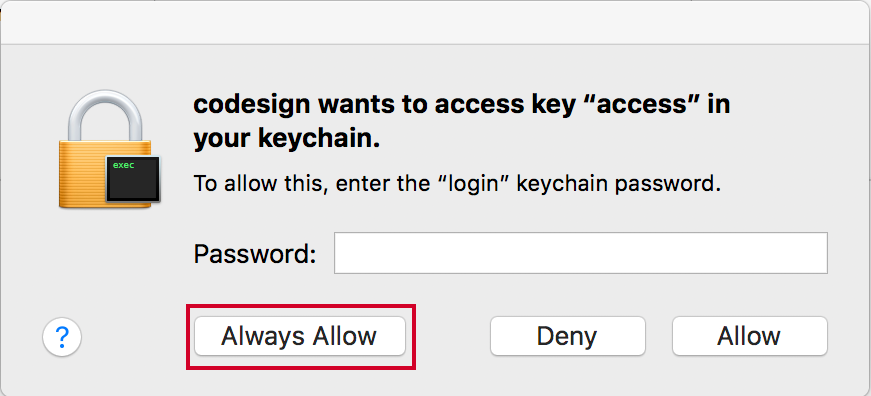
In a world filled with endless newsletter, ransomware, cookie, GDRP, and phishing popups, it’s easy to get confused about which is safe and which is not.
Have you ever encountered a keychain pop-up on your Apple device with the message “searchpartyuseragent ‘com.apple.facetime: registrationV1′”?
Don’t worry, you’re not alone. I recently encountered the abovementioned pop-up on my MacBook Pro and Mac Mini that left me feeling and looking like I saw a ghost face to face. All I knew was someone or something was trying to get me to grant access to FaceTime-related services, which seemed suspicious.
But there is good news!
Not too long ago, I received a frantic call from a recently migrated from WordPress to Kirby customer. All was going well until they encountered the frustrating “PHP Fatal error: Uncaught Error: Call to a member function filterBy() on null” error.
I suppose that if you’re reading this blog post, chances are that you, too, are in dire need of getting your Kirby website back online, right?
Well, I’ve got good news for you. I’ve got just the solution for you!
Have you encountered the frustrating “Found block with too small length at” error while using WordPress? Don’t worry, I’m here to help you resolve this issue.
Whether you’re a tech-savvy user or a non-tech person, I’ll guide you through step-by-step instructions to remedy the database error in this tutorial.
Ready to get started? Then, let’s go!
How to Check Word Count in Apple Notes on iOS. December 5, 2025
How to Fix the “Application error: a client-side… April 21, 2025
Fixing GoDaddy Domain Forwarding Not Working. July 4, 2024
A Simple Way to Block China and Singapore Traffic… December 30, 2025
If I were to start domain investing today… April 3, 2017 We rely on ad revenue to keep our content free for everyone. By disabling your ad blocker for our site, you help fund our team and the quality journalism you enjoy. Add us to your AdBlocker\'s allowlist and make a difference!